

7 Best BIM (Building Information Modeling) Software for Structural Engineers
 Team Experts
15 October 2026 2:00 am
.
7 min read
Team Experts
15 October 2026 2:00 am
.
7 min read
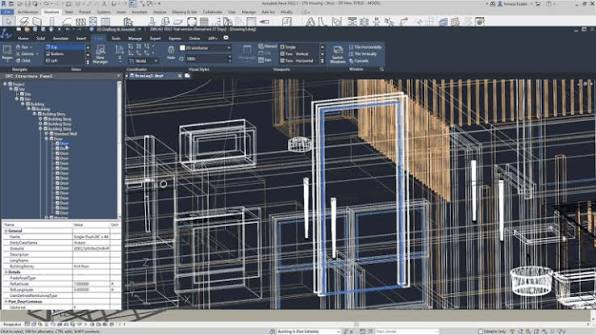
Plenty of structural firms adopt a genuinely powerful BIM platform and still struggle with it. Such struggles, however, don’t necessarily reflect the quality of the software itself. Sometimes, they’re more indicative of a mismatch — a misreading of what the practice actually produces, and therefore, what the tool should be built to do.
For example, a firm that designs mostly reinforced concrete frames may license a general-purpose modeling platform simply because the architects it works with already use it. Yet, it would spend its days forcing out rebar detail the software was never designed to deliver. But, were it handed a tool built around reinforcement and precast, the same drawings may have taken half the time. The engineers were strong; the software was being measured up against the wrong bar. So, if you’re comparing BIM software for structural engineers this year, before you book a single demo, consider the tools — and the different parts of the workflow that they handle — at length.
The seven programs below run across three families of work. Modeling platforms are about building one coordinated 3D model the whole project team can share, whereas detailing specialists are about everything a fabricator needs to actually build it — every plate, bolt and bar. Analysis-led tools are their own family, concerned with whether the structure stands up at all. Where your choice sits across these is partly about what you can deliver. It’s also a question you’re going to be answering for years regardless: what do you want this practice known for?
It also shapes how the work gets received by architects, contractors and clients alike. The software you choose is the first line of a project’s story; it’s the one that lands in front of every consultant who opens your file. A clean model travels into coordination meetings, shop drawings and site, and it travels as whatever standard you set on day one. So the choice is less like buying a license than deciding how you want the next decade of projects to read later — for a fabricator who inherits your model, or a graduate engineer learning the trade, long after the first issue date.
The Modeling Platforms
The job at the center of BIM is coordination, and the modeling platforms take it on those terms. Your structure sits in the same model as the architecture and the services, so clashes surface on screen rather than on site. For most mixed-discipline projects, this is where the conversation begins.
1. Autodesk Revit
Revit is the name most structural engineers hear first, and for good reason. Autodesk’s platform brings architectural, structural and MEP modeling into a single environment, so a column moved by the architect updates in your model, too. Its structural tools generate an analytical model alongside the physical one, which can be exchanged with analysis software, and Dynamo, its visual scripting tool, takes the repetitive work off your hands. Autodesk acquired the program in 2002, and it has since become one of the most widely used BIM platforms in the industry — which means your consultants almost certainly open it every day. The trade-off is depth. Revit handles reinforcement and steel connections, but the specialist tools below go further.
2. Graphisoft Archicad
Archicad is one of the earliest BIM programs, built by the Hungarian company Graphisoft and now part of the Nemetschek Group. It’s usually thought of as an architect’s tool, and that’s fair. For structural engineers, its value lies in openness. It exchanges models through IFC, the neutral file format built for sharing between different software, and it can pass a structural analysis model on to calculation programs. If architects regularly hand you Archicad files, reading them cleanly saves hours. As a primary tool for heavy structural work, though, it’s a thinner choice.
The Detailing Specialists
Modeling asks what the structure is. Detailing asks how it gets made. These programs work at fabrication scale, where a model has to carry enough information for a workshop to cut, drill, weld or pour from it, and they cover ground the general platforms leave thin.
3. Tekla Structures
If one program is associated with structural detailing, it’s Tekla. Developed in Finland and acquired by Trimble in 2011, Tekla Structures builds models at fabrication level — individual members, connections, bolts, welds and reinforcing bars — and generates shop drawings and CNC files straight from them. It handles steel, cast-in-place and precast concrete, and timber in one environment. Complex geometry, such as stadium roofs and bridges, is where it has earned its reputation. It also has a steeper learning curve, so plan for training time. For firms whose work is built rather than just drawn, nothing signals that as plainly.
4. Autodesk Advance Steel
Advance Steel is Autodesk’s answer for steel detailing, and it sits in the same family as Revit. Built on AutoCAD, it produces connection design, shop drawings and NC data for fabricators, and its link to Revit lets engineers move a model between the two. If your firm already lives inside the Autodesk ecosystem, it’s the smoothest way to add fabrication-level steel without changing everyone’s habits. It’s narrower than Tekla — steel is the focus — but narrow can be a virtue when steel is what you do.
5. Allplan Engineering
Allplan has a heritage few of its rivals can claim. Its parent company, Nemetschek, was founded in 1963 by Georg Nemetschek, a structural engineer, and the software still reflects it. Its strength is reinforced concrete: 3D reinforcement, formwork and precast element design, with bar schedules generated from the model. It’s especially widespread in Europe, where concrete frames dominate. For engineers who spend most of their time on slabs, cores and foundations, it’s a serious contender. If your work is mostly steel, look elsewhere.
The Analysis-Led Tools
The starting point shifts again here. These programs begin with calculation — loads, forces, deflections — and build outward into BIM. For engineers whose signature is the numbers rather than the drawings, this is where I send them.
6. Bentley STAAD and OpenBuildings Designer
Bentley’s structural offer is less a single product than a connected set. STAAD handles analysis across a wide range of structure types and international design codes, ProStructures covers steel and concrete detailing, and OpenBuildings Designer brings the pieces into one multidisciplinary model. Bentley’s Integrated Structural Modeling technology is meant to keep the physical and analytical models in sync as the design changes. It suits practices working across buildings, industrial plants and infrastructure, where one vendor’s range can span the lot. Licensing terms change, so confirm current options with Bentley before you commit.
7. CSI ETABS
ETABS was built for buildings, and it knows it. Computers and Structures, Inc., founded in 1975, developed it for the analysis and design of multi-story structures, and it’s a staple for tall buildings, with tools for seismic and wind loading and code-based design of steel and concrete members. Its BIM credentials come through integration: it exchanges models with Revit and other platforms, so the analysis doesn’t live in a silo. It isn’t a detailing tool, and it doesn’t pretend to be. Pair it with one of the programs above.
Whichever program you shortlist, test it on a real project rather than a demo model. Most vendors offer trials, and the first week tells you more than any feature list: how it handles your usual sections, your preferred codes, the files your consultants send you. Check the exchange formats, too. IFC is the neutral standard that keeps a project moving when two teams use different software, and a program that reads and writes it cleanly is worth more than one with a longer list of features. Finally, price it honestly — licenses, training and hardware — because the cheapest tool in the first month is rarely the cheapest by the third year. If you find one you’re proud of, it’s worth a pilot project of its own.